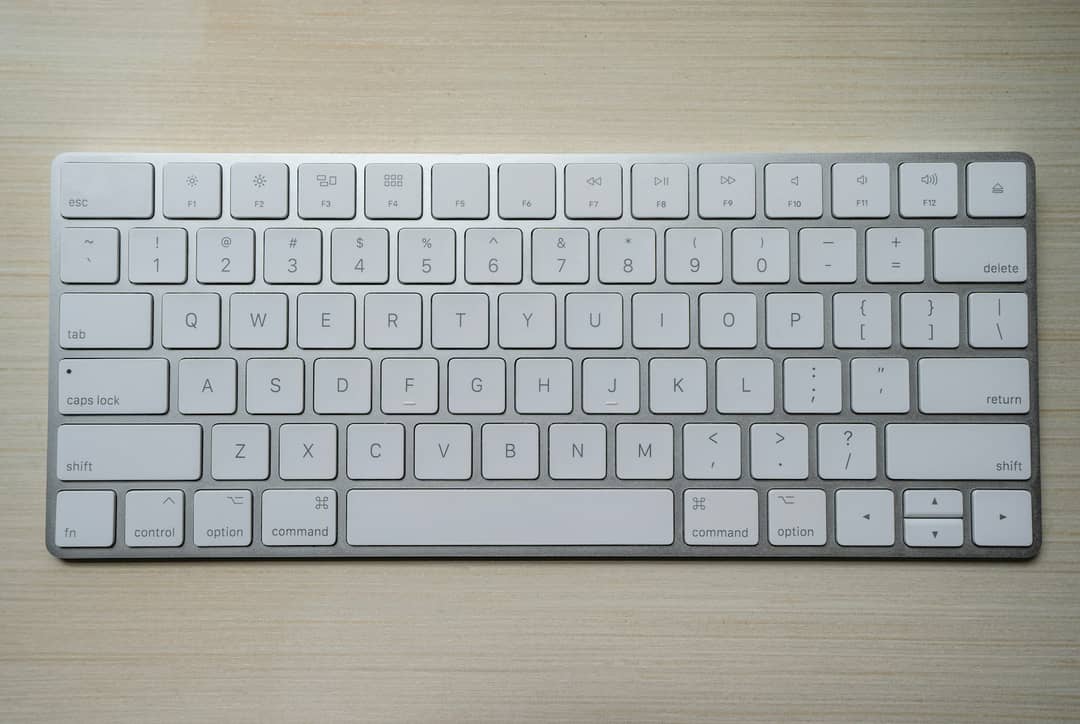
First-Person Developer POV: Ergonomic Mechanical Keyboard Workflow
Let’s run a quick ergonomic audit on your working day.
Every time your brain decides to take an action in software—say, switching between open documents, checking off a completed task, or searching for a reference note—most modern applications force you to do the following physical dance:
- Physical Transit Time (350ms - 500ms): Lift your dominant hand from the home row of your keyboard and reach out to grasp a mouse or find a trackpad.
- Visual Re-Acquisition (200ms - 400ms): Move your eyes away from the code or text you were writing, scan across a 32-inch 4K monitor, and locate where the tiny arrow cursor is currently hiding.
- Fitts' Law Targeting (250ms - 450ms): Guide the mouse across the physical desk, slow down deceleration as you approach a 24-pixel clickable icon, and click the mouse button.
- Return Transit (300ms - 450ms): Lift your hand off the mouse, return it to the keyboard, and re-orient your index fingers onto the
FandJhoming bumps.
Total elapsed physical time: approximately 1.2 to 1.8 seconds per interaction.
If you are a software engineer or knowledge worker making 800 discrete UI interactions over a deep six-hour work session, you spend nearly 25 minutes every single day purely dragging plastic across a desk mat.
Worse than the lost minutes is the cognitive context-switching penalty. Every time you break physical contact with the keyboard to hunt for a visual button, you pay a small tax in working memory. Over hours, that micro-friction adds up to brain fog and creative exhaustion.
The Tri-Modal Navigation Architecture
A true keyboard-first application treats the pointer as a fallback of last resort, not the primary input protocol.
To achieve this without turning the application into a chaotic mess where random keystrokes accidentally trigger destruction, the application must be designed around an explicit tri-modal state machine inspired by Vim:
1. The Global Chord Layer (Cmd+K, Cmd+N, Cmd+J)
These are global meta chords that work from anywhere in the app, regardless of active focus. Pressing Cmd+K anywhere instantly invokes the command palette without having to click a magnifying glass icon.
2. The Normal Navigation Layer (j, k, x, e, /)
When the user is not actively typing inside a text field, the application resides in Normal Mode. Single keystrokes act as navigation primitives:
jandk: Move up and down through list items.x: Toggle a checkbox or task completion.eorEnter: Enter edit mode inside the selected note./: Initiate local search.
3. The Buffer Edit Layer
When editing text, all keybindings surrender priority to native text insertion. The user types naturally until pressing Escape, which cleanly drops them back into Normal Mode.
// Elena's Tri-Modal Input Dispatcher
export type AppMode = 'NORMAL' | 'COMMAND_PALETTE' | 'INSERT';

export function handleGlobalKeydown(event: KeyboardEvent, mode: AppMode, state: AppState): void {
  // Global Meta Chords always supersede local state
  if ((event.metaKey || event.ctrlKey) && event.key === 'k') {
    event.preventDefault();
    state.setMode('COMMAND_PALETTE');
    return;
  }

  // In INSERT mode, allow natural typing unless Escape is hit
  if (mode === 'INSERT') {
    if (event.key === 'Escape') {
      event.preventDefault();
      state.setMode('NORMAL');
    }
    return;
  }

  // In NORMAL mode, single keystrokes become rapid navigation verbs
  if (mode === 'NORMAL') {
    switch (event.key) {
      case 'j':
        event.preventDefault();
        state.selectNextItem();
        break;
      case 'k':
        event.preventDefault();
        state.selectPrevItem();
        break;
      case 'Enter':
      case 'e':
        event.preventDefault();
        state.setMode('INSERT');
        break;
    }
  }
}
The Sub-50ms Command Palette Requirement
If an application is going to be keyboard-first, its command palette cannot be a sluggish dropdown that lags behind the user's keystrokes.
A world-class command palette must satisfy three strict performance constraints:
- Zero Layout Shift: The palette overlay must render using fixed positioning and GPU compositing (
transform: translateZ(0)), causing zero DOM reflow in the underlying document. - Sub-2ms Fuzzy Search: The search engine must use an in-memory Trie or a Levenshtein distance algorithm compiled to WebAssembly. Searching across 5,000 commands or documents must complete before the next frame renders.
- Frequency-Based Ranking (MRU): The palette should learn which commands you invoke most often and automatically bubble them to the top of the list.
Elena's Unfiltered Take
Speed in software is not measured by how fast your cloud server returns a JSON response. Speed is measured by the total elapsed time between a human having an intent and that intent being executed on screen.
When software is designed keyboard-first, the interface disappears. Your hands stay anchored, your thoughts flow unbroken, and you can build at the speed of thought.
Ditch the mouse. Learn the chords. Protect your flow state.